
Every channel you sell on creates the same problem in a different shape: each one needs to know what you actually have in stock, right now, or it will sell something that doesn't exist. For retailers running anything beyond a single store on a single platform, multi-channel inventory sync stops being a nice-to-have and becomes the difference between a healthy operation and a steady drip of cancellations, apology emails, and refunds.
This guide explains what multi-channel inventory sync actually means, the channels that need to participate, how sync actually happens between systems, where these setups commonly fail, and what good sync looks like in practice.
What multi-channel inventory sync actually means
At its simplest, multi-channel inventory sync keeps every sales channel's view of stock aligned with one physical reality: the units actually sitting on your shelves, in your stockroom, and in your warehouse.
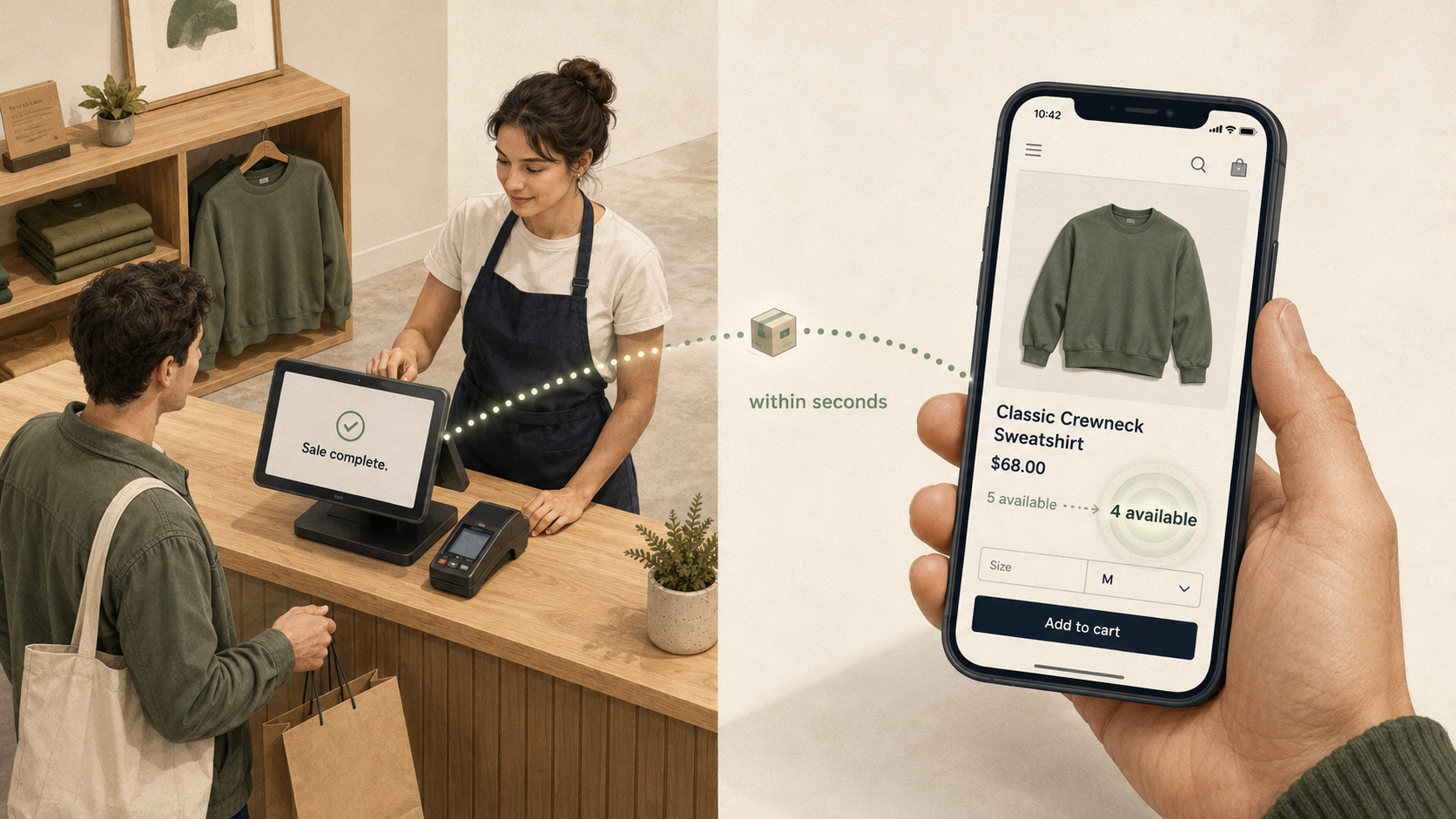
If you have 12 units of a sneaker in size 9, every channel that can sell that SKU should reflect that number — and as units sell through any of those channels, every other channel should update within seconds to reflect the new total. When this works, customers always see accurate availability; when it doesn't, customers buy things that don't exist and your team spends its day apologizing.
The challenge isn't conceptual; it's operational. Most retailers have several systems that each think they know what's in stock — the point-of-sale system, the e-commerce platform, sometimes a separate inventory management system, sometimes a marketplace listing tool — and keeping them aligned takes more than just turning on a sync feature.
The channels that need to sync
For most retailers running BOPIS, multi-store operations, or anything close to omnichannel, the systems that need to participate include:
Shopify (or whatever e-commerce platform you use) — your online storefront, where customers browse and buy.
Your point-of-sale system — Lightspeed Retail (R-Series), Lightspeed Retail (X-Series), Heartland Retail, Shopify POS, or whatever your stores run on. The POS is typically where the real-world inventory truth lives, because that's where physical transactions are recorded.
Marketplaces — Amazon, eBay, Etsy, Walmart Marketplace, and similar channels. Each one has its own listing inventory that needs to track with your physical stock.
Social commerce — Instagram, Facebook, TikTok Shop, and other social platforms where the same SKU is available for purchase.
B2B and wholesale channels — if you sell to other businesses through a separate B2B portal or wholesale Shopify storefront, that channel also needs to participate.
Multi-storefront retailers — if you run more than one Shopify site (retail, wholesale, regional, brand-specific), each storefront draws from the same physical inventory and needs to stay in sync.
Every one of these channels can sell the same physical unit. When two channels sell the same unit before either one knows about the other's sale, you've oversold — and the customer experience downstream is uniformly bad.
The source-of-truth question
Before the question of how to sync, there's a more fundamental question: which system is the source of truth?
For most multi-location retailers, the answer is the POS. The POS is where the bulk of transactions actually happen, where store staff record receiving and damages, where cycle counts get reconciled, and where the inventory ledger is operationally maintained. Shopify is a sales channel that draws from that ledger, not the keeper of it.
For pure e-commerce retailers with no physical stores, Shopify itself is the source of truth — there's no separate POS to consult, because there are no in-store transactions to record.
Whichever system holds the truth, every other channel needs to receive its updates from that system. Sync flows outward from the source of truth to the channels, with the channels reporting their sales back so the truth stays current. When this directionality gets muddled — when two systems both think they own the inventory ledger — drift starts immediately and is almost impossible to recover from.
How sync actually happens
Inventory syncs between systems in different ways — manually (someone exports and imports on a cadence they remember), via batch refreshes that run every 15 minutes or longer between cycles, or via real-time updates that propagate within seconds of each change. Each model has a place: batch handles catalog updates, cycle count corrections, and end-of-day reconciliation well; manual works at very small scale; real-time is what's required for the stock counts customers actually see at checkout.
The depth on this — what real-time actually means for your store, when it matters most, and how to evaluate whether your current setup is good enough — is in The advantage of real-time inventory sync.
Common failure modes
Inventory sync setups go wrong in predictable ways:
Overselling. The biggest failure mode and the one that's usually fixable. Most overselling traces back to batch or manual sync running too slowly for the inventory's actual velocity. Real-time sync between the source of truth and every channel essentially eliminates this when configured correctly.
Phantom inventory. The system says 3 units, the shelf has 0. Damages never written off, returns processed incorrectly, shrinkage not accounted for, cycle counts drifting between counts. Phantom inventory is a process problem more than a sync problem, but it surfaces as oversells when sync is fast and accurate enough to expose the underlying drift.
Channel-specific stockouts. Shopify shows 0 but Amazon shows 3. This usually means one channel's sync is healthy and another's is broken or delayed. Hard to diagnose without dashboards.
Drift across channels. Each channel's number is slightly different from the others, and no one is sure which is right. Without a clear source of truth and a healthy sync flowing outward from it, every channel ends up with its own slightly-wrong view, and reconciliation becomes a daily task.
End-of-day reporting pain. When inventory ledgers don't tie out across systems, daily and monthly reporting takes hours instead of minutes. This is usually the first symptom your bookkeeper raises.
What good multi-channel inventory looks like
A healthy multi-channel inventory setup has a short checklist:
If your current sync setup has all of these, you have most of what you need. If it's missing one or two, those gaps are where overselling and drift will keep showing up.
How Mortar handles multi-channel inventory
For Shopify retailers running Lightspeed Retail (R-Series), Lightspeed Retail (X-Series), or Heartland Retail, Mortar is the integration layer that keeps inventory in sync across every channel:
The combined effect: a single inventory truth, propagated to every channel in seconds, with the operational simplicity of one POS your team already knows.
See how Mortar handles multi-channel inventory →